Client typeReal estate team
MigrationHubSpot to WordPress
Lead formsGravity Forms rebuild
Launch workRedirects, hosting, DNS
A platform migration is more than copying pages
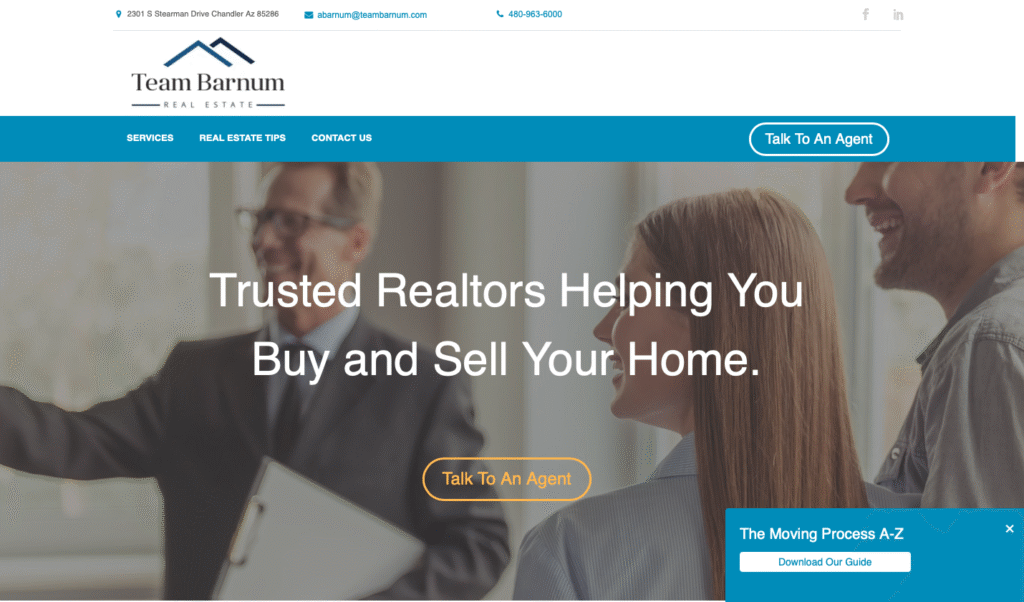
Team Barnum had an existing real estate website on HubSpot and needed to move to WordPress. The goal was not to reinvent the public brand from scratch. The project was about preserving the existing design and content while moving the site to a platform the team could manage more directly.
For a real estate team, that kind of migration needs careful handling. Pages, images, blog content, lead forms, redirects, analytics, hosting, and DNS all affect whether the new site feels continuous to visitors and search engines.
TurnKey handled the migration with a practical focus: preserve the front-end experience, rebuild the important moving parts in WordPress, and launch the site without creating avoidable gaps.
What we built
The project centered on a HubSpot to WordPress migration with content migration, lead-form rebuilds, analytics transfer, redirects, hosting setup, and launch support.
- HubSpot to WordPress migration: We moved the site from HubSpot into WordPress so Team Barnum could manage content from a WordPress CMS.
- Design and content preservation: The migration preserved the existing public design and content direction instead of forcing a full redesign.
- Page and image migration: We moved website pages, images, and supporting content into the new WordPress environment.
- Blog migration: Blog articles were migrated so the site’s resource content could continue living on the new platform.
- Gravity Forms rebuilds: Lead forms were recreated in Gravity Forms so key conversion paths could continue after the migration.
- Lead notification continuity: The form rebuilds supported continuity with the lead notification workflows that had been used before the migration.
- 301 redirects: Redirects were set up to reduce SEO risk and help old URLs point to the correct new WordPress pages.
- Google Analytics transfer: Analytics code was moved so tracking could continue after the platform change.
- Hosting setup: WordPress hosting was set up in the client’s hosting environment.
- DNS launch: The launch included DNS/A-record updates to move the public site from HubSpot to WordPress.
The value was continuity
Migration work is successful when visitors do not feel the seams. The public site, forms, analytics, URLs, hosting, and DNS all have to line up so the business can keep moving.
What the migration had to protect
A platform change can create problems if it only focuses on what the homepage looks like. The Team Barnum project had to protect the pieces that affect everyday website operations and long-term search health.
- Existing page structure: Important real estate pages needed to survive the move instead of being recreated loosely.
- Blog and resource content: Existing articles had to be migrated so the site did not lose useful content history.
- Lead generation forms: Buyer, seller, property management, guide download, property evaluation, and contact forms needed a WordPress replacement.
- Search continuity: Redirects helped reduce broken links and preserve URL continuity.
- Analytics continuity: Google Analytics needed to remain in place so the site could continue collecting traffic data.
- Launch coordination: Hosting and DNS work had to be handled cleanly so the public site resolved to the new WordPress build.
Why this matters for growing teams
Closed platforms can be useful early on, but many businesses eventually want more WordPress control, more flexible support, or a simpler long-term ownership model. Migrating from one platform to another is not just a technical copy-and-paste project. It is a continuity project.
Team Barnum is a good example of the kind of detailed work that sits behind a smooth migration: pages, blog posts, forms, analytics, redirects, hosting, and launch coordination. That work connects directly to TurnKey’s website design, website support, SEO, and Chandler web design services.
Related TurnKey pages
FAQ
Frequently asked questions
Why is Team Barnum a useful migration example?
Team Barnum is useful because the project involved moving a real estate website from HubSpot to WordPress while preserving content, rebuilding lead forms, setting redirects, transferring analytics, setting up hosting, and launching through DNS changes.
What makes a HubSpot to WordPress migration risky?
The risk is not just moving pages. A migration also has to protect URLs, forms, analytics, images, blog content, hosting, and the launch process so the new site does not create avoidable technical or SEO problems.
Can TurnKey migrate a site without redesigning everything?
Yes. Some migrations are about preserving what already works while moving to a more flexible platform. TurnKey can migrate content, rebuild forms, set redirects, and launch the new WordPress site with continuity in mind.
Next Step
Ready to talk through the plan?
If your site needs to move platforms without losing structure, content, forms, or search continuity, we can help plan the migration.